I am very excited to announce the anticipated TCustomz Productionz Vox Sample Kit Vol. 1 is finally here!
- 100 total Soul & Funk Vocal Samples
- Personally picked, EQed and processed by TCustomz.
- Excellent for Hip Hop, Boom Bap, Old School, East Coast, Soulful & Underground style music production!
- Includes vox stabs like: “Oohs”, “Yeahs”, “Heys”, “Ows”, “Whoas”, Yells, Grunts & much more!
- Compatible on any Hardware or Software devices (including but not limited to: FL Studio, NI Maschine, Ableton Live, All Akai MPCs, Reason, Pro Tools, Logic, Cubase + MORE!)
- Format: 44.1 kHz 16 bit .WAV
Preview & Purchase exclusively at www.TCustomz.com today!
Video Transcript (after intro):
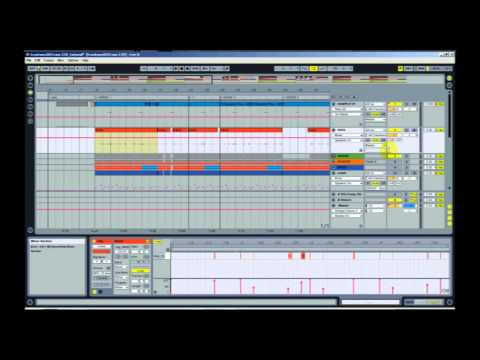
So what I have opened is a session from a recent beat I released on my website, entitled “City of Darkness”. In this track I use five of the vocal samples that are included in this kit. And I kind of want to explain some of the different ways you can use these sounds.
In the hook of this track, I use Vox 34 *previews sound*, Vox 38 *previews sound*, and Vox 57 *previews sound*. Now that’s how they’ll sound when you get the kit. What I did for this particular beat is also experimented with panning, delay, and transposing the samples.
I’m going to play the hook through so you can hear how the samples were used, and then I’ll break down what additional processing I did to each one. *Plays Vox Sample Demo w/ Beat*
So you can probably notice the delay that was added to each sample, just to kind of fill in the extra space.
For the first sound, Vox 38, you can notice that there are actually three distinct pieces of audio in that sample – but I only used the first part. I also added a basic delay as well as panned it slightly left so it would sit well in the mix *Plays Vox 38 w/ processing*
For the second – Vox Sample 57, I also added basic delay and panned it slightly as well. *Plays Vox 35 w/ processing*
Now, for the third sound, Vox 34, I did the pan and delay, but I also manipulated the pitch using the transpose function. The reason I did that is because the vocal sample didn’t match the key of my beat. So you can see that I pitched it up +4 half steps. *Plays beat demo while transposing Vox 34 pitch*
And later in the beat, I used two more vocal stabs – Vox 10 *plays preview* and Vox 66 *plays preview*. And here’s how they work with the beat *Plays beat demo w/ vocal stabs*
So as you can see, there’s a lot you can do with these samples. The beat playing in the outro will also demo some more sounds included in this collection.
If you’re interested in this kit, it’s available at TCustomz.com. And also feel free to send me any finished beats you’ve made using these sounds.
So that’s all I have. Thanks for watching. Peace!
In this step-by-step tutorial, I break down the process of making a sampled Hip Hop beat, entitled “You Already Know”. This instructional video covers all aspects of creating this track including:
SAMPLE
- Chopping up the sample and making a basic sequence
- Adding Effects to the sample including: Attack, EQ/filtering, Widening & Reverb/Delay.
DRUMS & HI HATS
- Creating a drum track and layering various drum samples
- Processing drum samples using parallel compression (also known as New York compression)
- Quantization & velocity variation
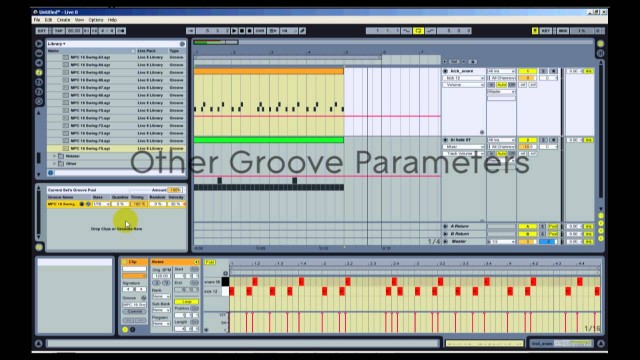
- Applying Ableton Live grooves (MPC swing in this case) to get an unquantized, Hip Hop sounding drum track.
BASS LINE
- Loading a single bass note into an Ableton sampler, and playing it across a full keyboard
- Having two bass line tracks (one pitched up an octave) running in parallel
PERCUSSION & TRANSITION FX
- Adding some “sprinkles” to the beat
HOOK
- Finding additional sample stabs for the hook
- Adding a synth melody using Spectrasonics Omnisphere vsti (awesome plugin!)
FINALIZATION
- Final sequencing of the beat (multiple verses, variations, dropouts, etc)
- Adding finishing FX
- Mixing & Mastering (Live’s Analog warmth & iZotope Ozone)
If this video was helpful, please take time out to check out the other videos on the YouTube Channel (don’t forget to subscribe!)
TCustomz.com, your #1 source for authentic Hip Hop beats & drum kits!
In this beat making tutorial I show you how to apply an MPC style drum groove (as well as SP1200 & Logic drum groove) to a quantized drum track using Ableton Live. Using Live’s built-in swings is an excellent way to humanize your drum sequences without having to manually change the timing of the drums. Having a loose, unquantized drum groove can give your Hip Hop beat that extra head-nodding factor you’ve been looking for!
The drums used in this tutorial are included in the TCustomz Drum Sample Pack Vol. 2. For more Beat Making & Ableton Live Tutorials, visit the Official TCustomz YouTube Channel (and SUBSCRIBE HERE)
TCustomz.com, your #1 source for authentic Hip Hop beats & drum kits!
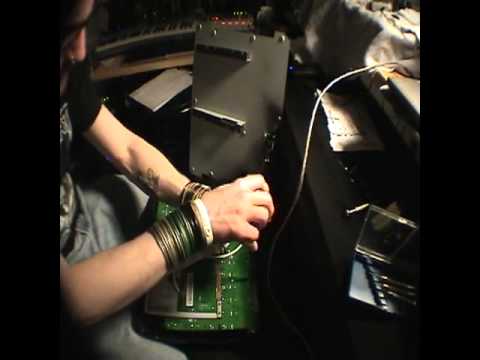
A couple years ago I bought my Akai MPD32 (upgraded from an M-Audio Trigger Finger). I did not realize, until after hooking it up to my PC, that the responsiveness of the pads was so bad. After searching this issue on the web, I found that many people were DIY modifying their MPD controllers. I modified my MPD32 within days of buying it, and I’m SO very glad that I did! The responsiveness is now awesome!
This is the step-by-step video that I used to modify my pads:
Shout out to the guy who put together this vid – a lot of really great information! In this video he is using electrical tape to fill in the gap between the pad and sensor. Or you can also buy a “pad sensitivity upgrade kit” (like this one) for your MPD controller. The kit is basically just a set of 16 rubbers squares that sit on the inside of each pad. Either method will work just fine – it’s really just a matter of preference.
I highly recommend this upgrade to anyone using one of the Akai MPD controllers – you won’t regret it!
Over the past few months I’ve had a growing number of requests on Youtube, Twitter & Facebook to upload a beat making tutorial dedicated to composing a bass line for sampled beats.
This is the first of a two-part tutorial. Enjoy!
Being a sample-based producer myself, I know that creating a bass line to match a sample can be daunting at times, especially for the producers just starting out. Many novice beat makers (myself included a couple years ago) rely on techniques like “Low End Theory” for their bass – where you duplicate the sample track, apply a low-pass filter (LPF) and EQ the sample’s original bass to your liking.
Over the years I have grown away from using this technique for bass because it can muddy your mix – causing problems in the mid-to-low frequency areas. The “cleaner” approach, at least from a mixing standpoint, is to learn to create your own bass line with your preferred vsti or sound module (or better yet, maybe you even have a bass guitar!). The other major benefit to composing your own bass track is that you have FULL control over what bass notes that are played, unlike when using an existing bass line from a sample.
In Part 1 of this tutorial above, I talk about some high-level tips to assist you in creating a bass line:
1) Study your Influences – This should be obvious, but it’s definitely something that doesn’t hurt to mention, if only as a reminder. Use the beat makers and producers you look up to and draw inspiration from as an example. Analyze one of your favorite beats from them. What makes it good? It’s the instrumental’s overall groove that gives it that “head nodding” factor. The bass line is a crucial part of that overall feel, as well as the drums, of course.
2) Learn Music Theory – Learning basic music theory is very beneficial for composing bass lines – not to mention your overall production in general. You may be able to get away with playing by ear, but if nothing else, I highly recommend knowing some basic theory. My recommendation is to focus on learning keys and scales. Knowing what key a sample is in will make it a lot easier to create a solid bass line for your beat. Developing the ability to easily identify the key and play that key’s scale fluently will improve your music production ability tremendously!
3) Detuning the Sample – This is not necessarily something that is obvious to many newbie producers, but it can make all the difference in your bass line being in key with your sample. Check the tutorial above for a more detailed discussion on the importance of detuning your sample (if needed) and a live demonstration on how to do so using Ableton Live.
Part 2 of this tutorial will include more detailed and in depth examples and will walk you through how I created the bass line for the sampled beat I am working on in Part 1.
If you enjoyed this video, make sure to SUBSCRIBE to our Youtube Channel for all our latest beat making videos and tutorials!
Until next time, Happy Beat Making! – http://www.tcustomz.com
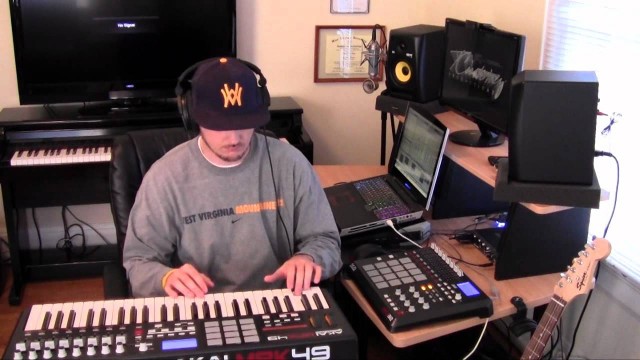
So I just finished this beat making video for my newest beat, “In My Groove”. I would describe this one as an M-Phazes style track – very soulful with hard hitting drums, but also has atmospheric and jazzy elements to it as well.
This was my first attempt at any real video editing, so keep that in mind.
Please take a quick second to Subscribe to the tcustomzDOTcom YouTube Channel and “LIKE” the Facebook Page.
Join the official TCustomz.com Newsletter to receive FREE Beats & Drum Kits!
So I had some requests in previous months for another another Beat making tutorial. I hadn’t done one of these for a while, so I wanted to give you guys a little insight into my process for making a sampled beat.
This one steps through a new Underground, Hip Hop beat, entitled “In the End”. I touch on all the the different elements that went into the beat as well as a small discussion on a technique for sampled bass lines, called Low End Theory. Make sure to watch until the end so you can hear the completed, full-length beat.
If you like this video and would like me to do more of these, please make sure to drop by my YouTube Channel and SUBSCRIBE!
Also, I am constantly updating my Facebook Page (Make sure to “LIKE”) and Official Website will all relevant information as well as Beats, Drum Kits, and other FREE stuff!
FREE BEAT & DRUM KIT!
NOTE: If you did NOT receive your free gifts via email, please make sure to check your spam/junk folder.


Simply tell us where to send your FREE Beat & Drum Kit below!
NO WAIT. INSTANT DELIVERY!
"LIKE" our Facebook Page as a way of saying thank you! Plus receive updates, discounts, music tips, & more!
Recent Posts
- Sample Hip Hop Beat Making Video – “Forever” (prod. by TCustomz)
- New TCustomz Productionz Facebook App!
- Sampling Tip: How to Pick an Appropriate Sample for your Beat
- Low End Theory – How To Filter a Bass Line for a Sampled Hip Hop Beat Tutorial
- How to Change the Default Ableton Live Template Set (Tutorial) & FREE Custom Set